Plagiarism Detection & Similarity Check Guidelines
Maintaining strict academic integrity is the cornerstone of our publication process. To ensure the originality of all submitted work, this journal enforces a rigorous pre-screening process for plagiarism using professional text-comparison software.
1. Our Similarity Check Framework
We partner with Crossref to utilize the industry-leading Turnitin iThenticate text-comparison system. Every submitted manuscript is automatically screened against billions of web pages, cross-publisher databases, and archived academic literature before entering the formal peer-review process.
The Goal: To provide authors with transparent feedback, allowing them to rectify unintentional overlaps and ensure their content meets global publishing and indexing standards.
Access Level: The system provides read-only cross-comparison access to the full text of submitted files against the global database.
2. How the Editorial Team Evaluates Manuscripts
We do not rely on an automated score alone. Every similarity report undergoes human editorial oversight to distinguish between genuine plagiarism and standard academic formatting.
Acceptable / Low Risk (1-10%): Generally acceptable for immediate peer review. However, this is an indicator, not an absolute pass. Content is still checked for localized blocks of uncredited text.
Requires Revision (>10%, Moderate/High Overall): If the score is high but driven by common nomenclature, standard methods, or bibliography blocks, the author is sent a PDF report and given a chance to rewrite the highlighted sections.
Desk Rejection (>30%, High Contextual Match): High percentage blocks spread systematically across multiple sections (e.g., results, discussion) will be flagged as suspicious, resulting in an immediate rejection.
Crucial Editorial Nuance: A low score can still be rejected if a single paragraph or critical finding is copied word-for-word without citation. Conversely, a higher score may be permitted to advance if the matching text consists entirely of mandatory technical phrases, industry-standard methodology, or the reference list/bibliography.
3. How to Interpret Your iThenticate Report
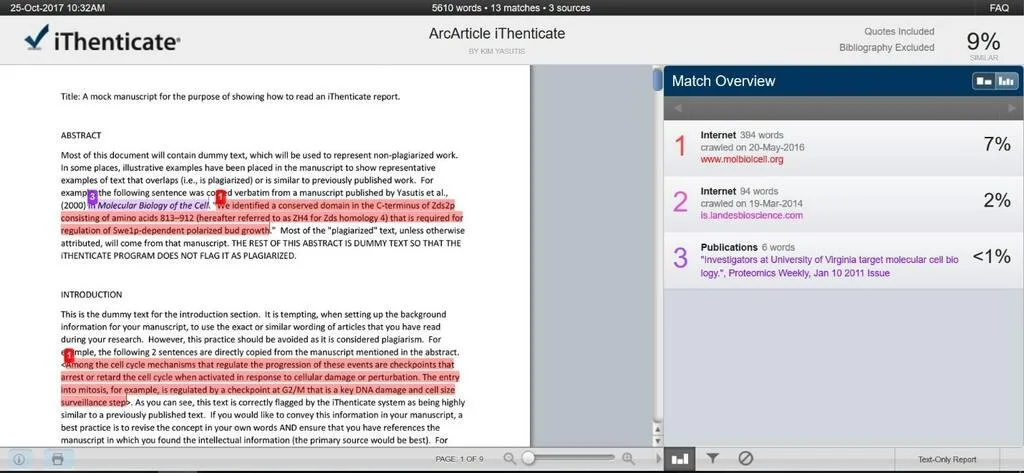
If your manuscript requires changes, the editorial assistant will email you an interactive or static PDF similarity report.
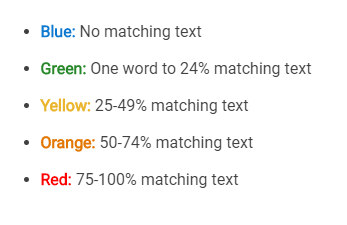
Color-Coded Text: Sentences inside the main body of your manuscript will be highlighted in specific colors. The color matches a specific numbered source listed at the back of the report.
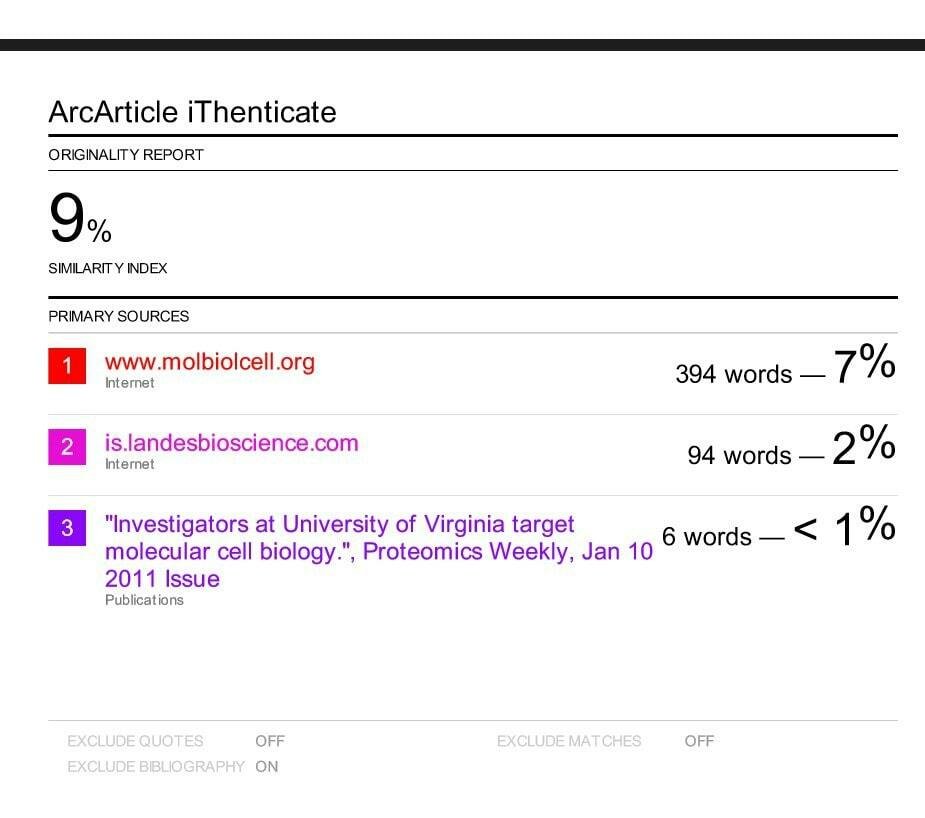
Match Summary: Located at the end of the document, this section lists every detected external source, its individual percentage contribution, and the total word count match.
Active Links: In the electronic PDF report, clicking the numbered sources within the text or summary will redirect you directly to the original published article on the web for cross-verification.
4. Required Action Steps for Authors
If you receive a request to revise your manuscript based on a similarity report, follow these steps sequentially:
Cross-Reference the Highlights: Identify Matches. Review the color-coded sections against the Match Summary list at the end of the PDF report to determine exactly which external papers your text is matching.
Determine Intent & Context: Evaluate Necessity. Check if the flagged text is a generic method description, an uncited direct quote, or heavily borrowed phrasing in your Introduction or Discussion.
Paraphrase and Restructure: Rewrite Content. Completely rewrite sentences, paragraphs, or entire sections using your own voice. Do not simply swap out keywords; restructure the syntax entirely.
Apply Proper Citations: Final Verification. Ensure that any conceptual models, data, or quoted statements from the matched sources are fully acknowledged with proper in-text citations and academic references.